
Trove360 Operations Suite
From DIBBS to delivered: one system for the small DLA distributor.
Operations software for parts distributors who sell to DLA: find and bid the solicitations, buy from approved sources, receive and inspect, pack to MIL-STD-2073, ship, and keep an ISO 9001 and AS9120B quality system, all in one database on your own server. Built by a distributor who does this every day.
60 seconds, music, captioned. Watch on YouTube
What you see is the product
These are the software's own screens, with sample data in place of real customers, parts and contracts.
Point at a picture to enlarge it; click it to see it full size.
What it does
Seven parts of one job, in one database: the bid, the supplier quotes, the buy, the pack, the project, the quality records and the security assessment.
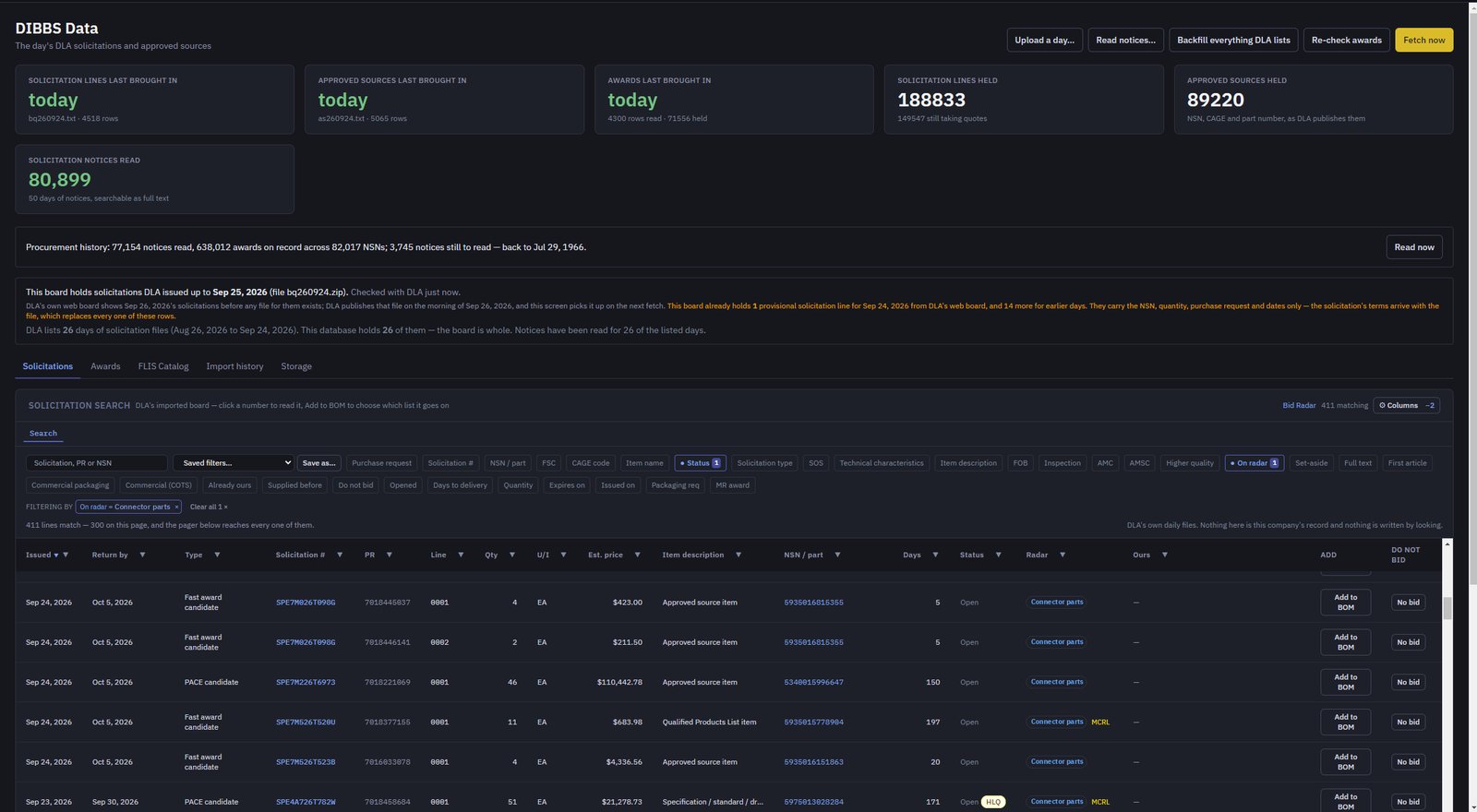
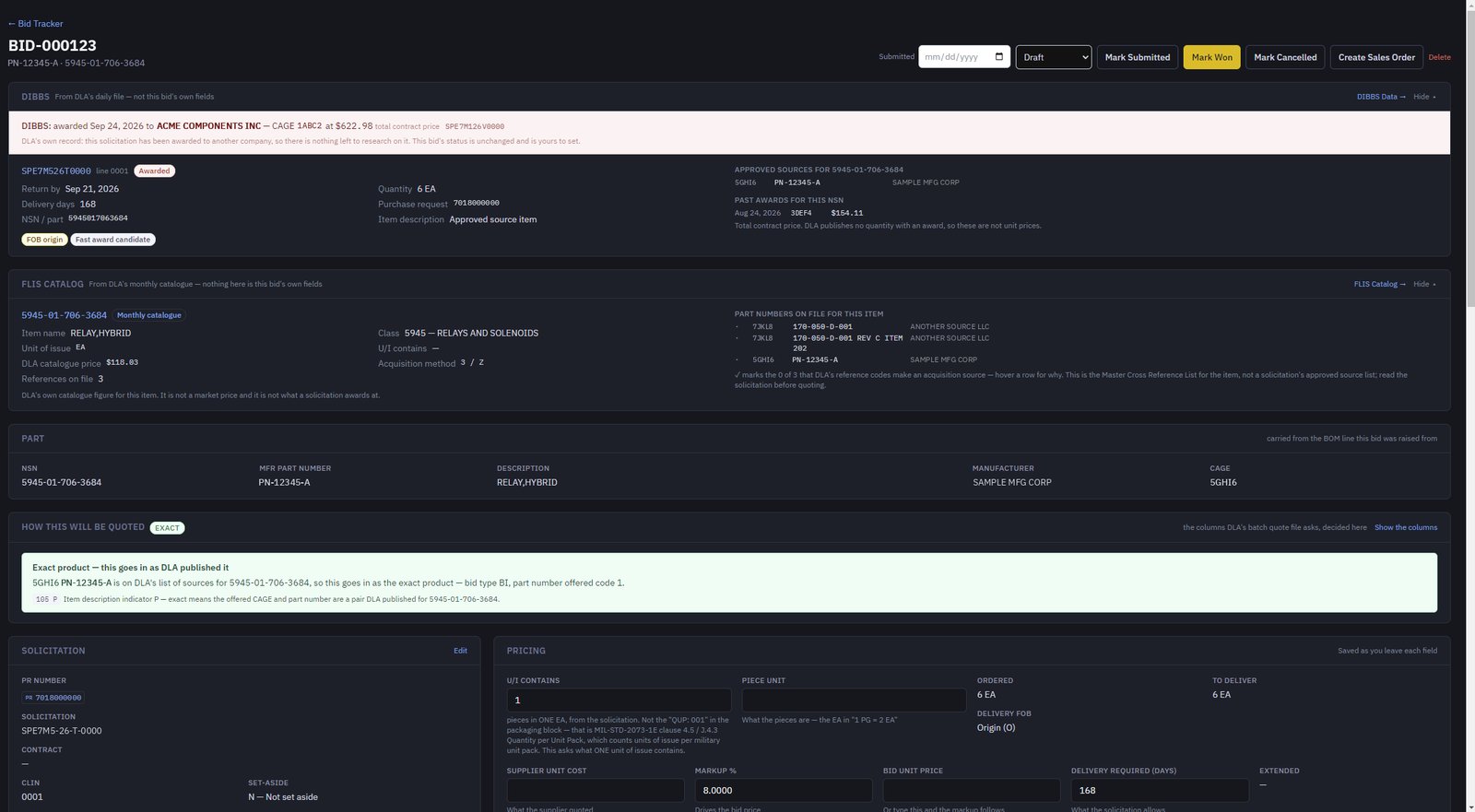
The whole DLA board on your own PC, and a bid card that does the looking-up for you.
- DLA's daily solicitation, approved-source and award files are brought in, and the notices are read, so every line is searchable by NSN, FSC, CAGE, set-aside, packaging requirement or the full notice text.
- Watch rules you set flag the lines you care about the moment they arrive.
- Each bid card puts the solicitation, the item's catalogue data and its approved sources side by side, pulled directly from DLA, and says whether it goes in as the exact product or an alternate.
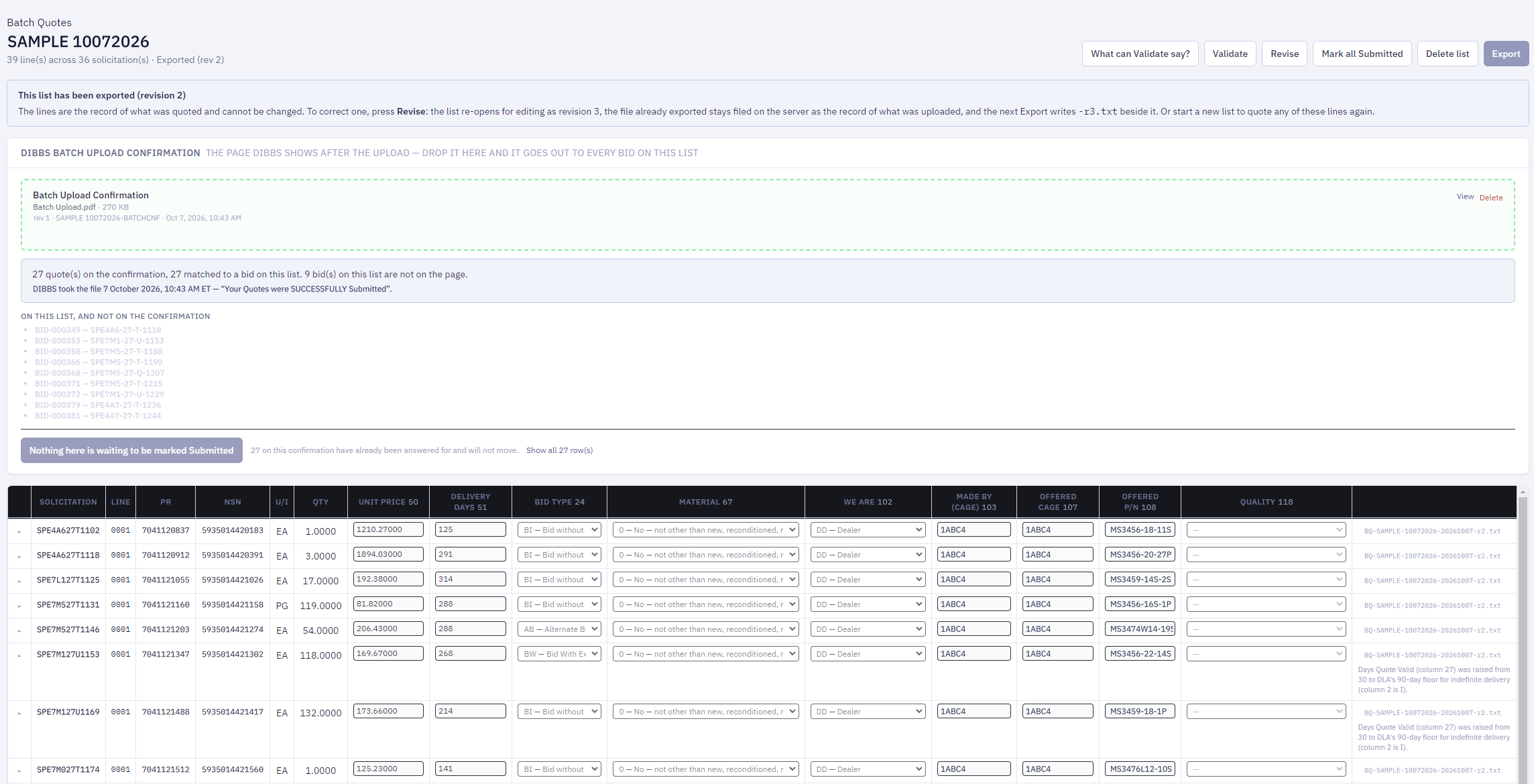
- Tick the bids you want and they go onto one DIBBS batch quote file; DLA's upload confirmation marks them Submitted.
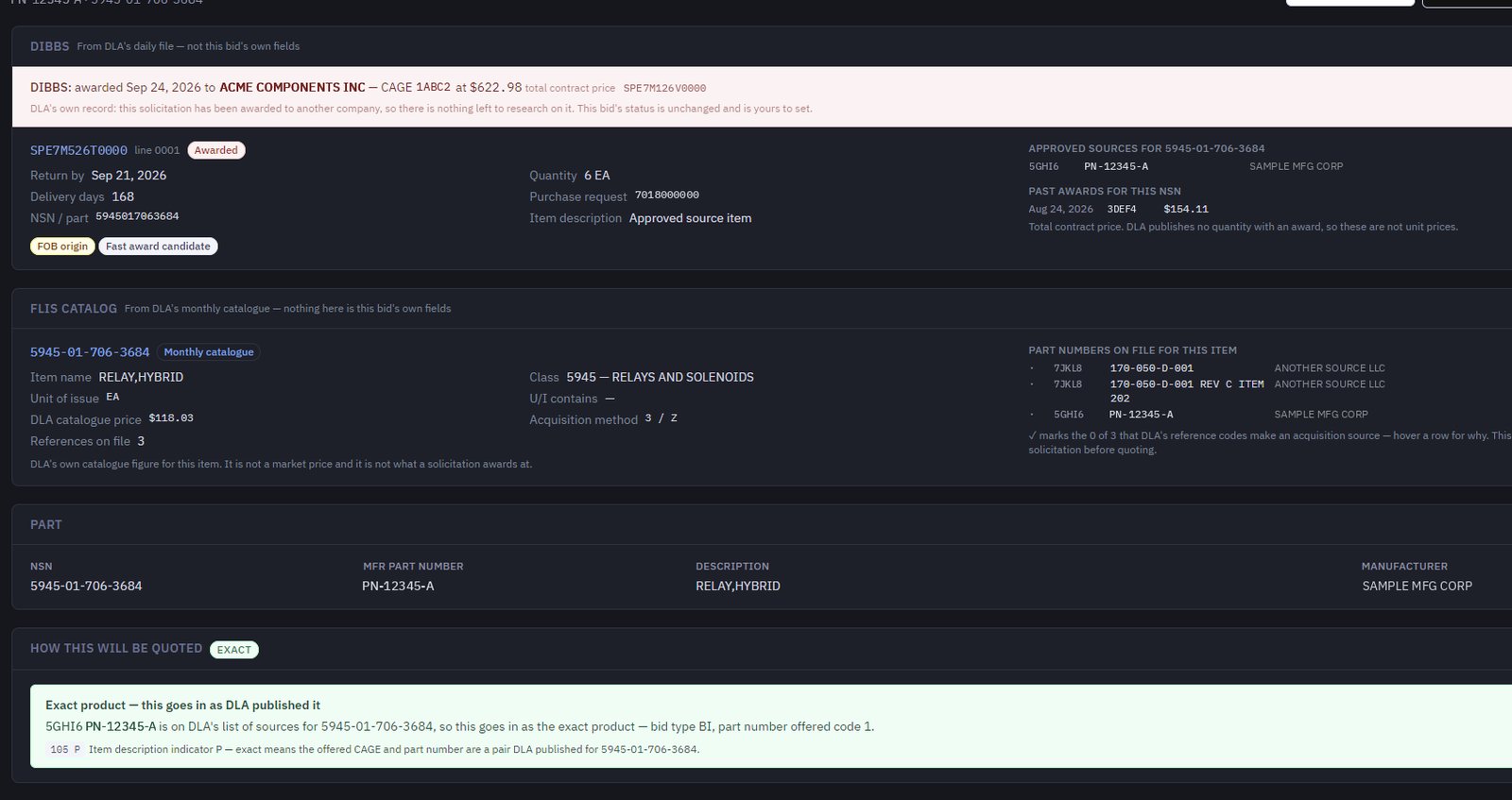
From solicitation to quote in minutes.
- The day's DLA file is on the board when you sit down, searchable by NSN, CAGE or the notice text.
- Add a line to the BOM from the board, or type an NSN, and the part library fills in the part number, manufacturer and CAGE.
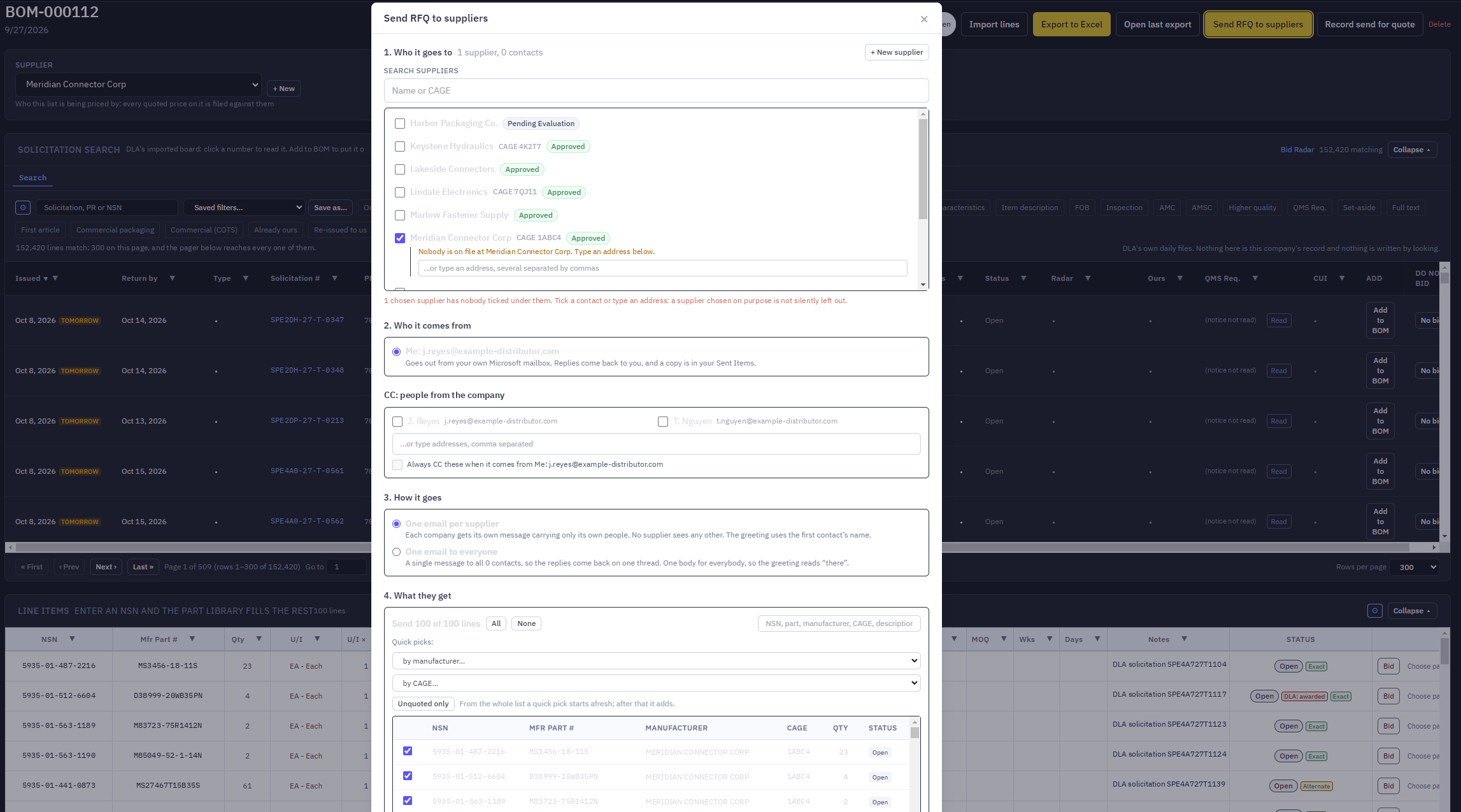
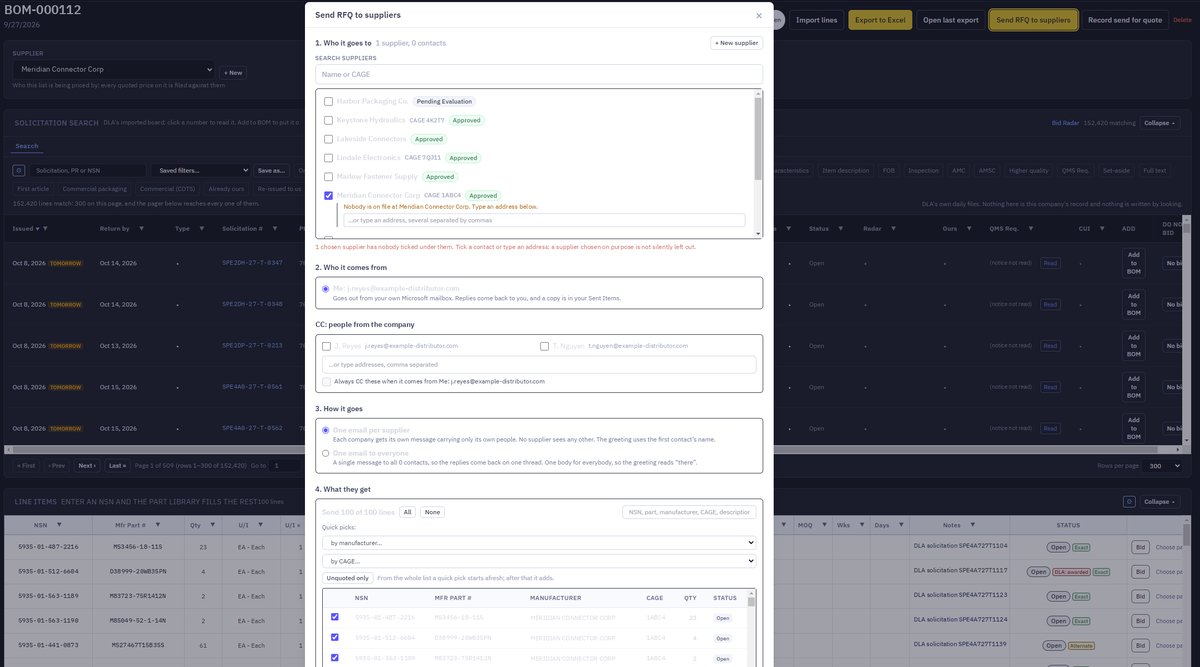
- Send RFQ e-mails the suppliers on the list from your own mailbox, with your signature and an RFQ workbook carrying only the columns you choose.
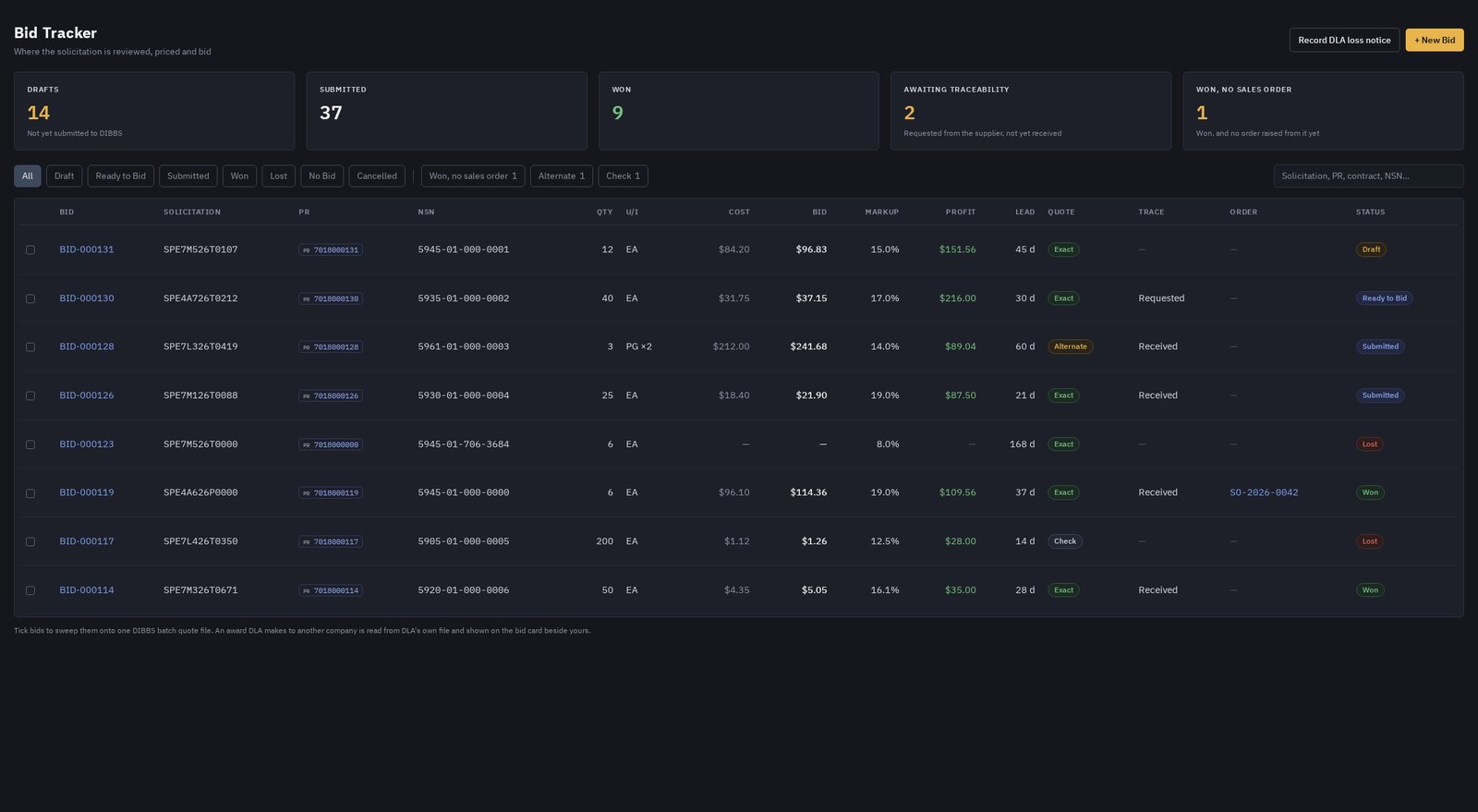
- Each quote is recorded against its BOM line, with the supplier's minimum order quantity.
- The bid is priced from the quote at your markup, with the price to win shown beside it.
- One batch quote file goes up to DIBBS, and the confirmation page marks every bid Submitted.
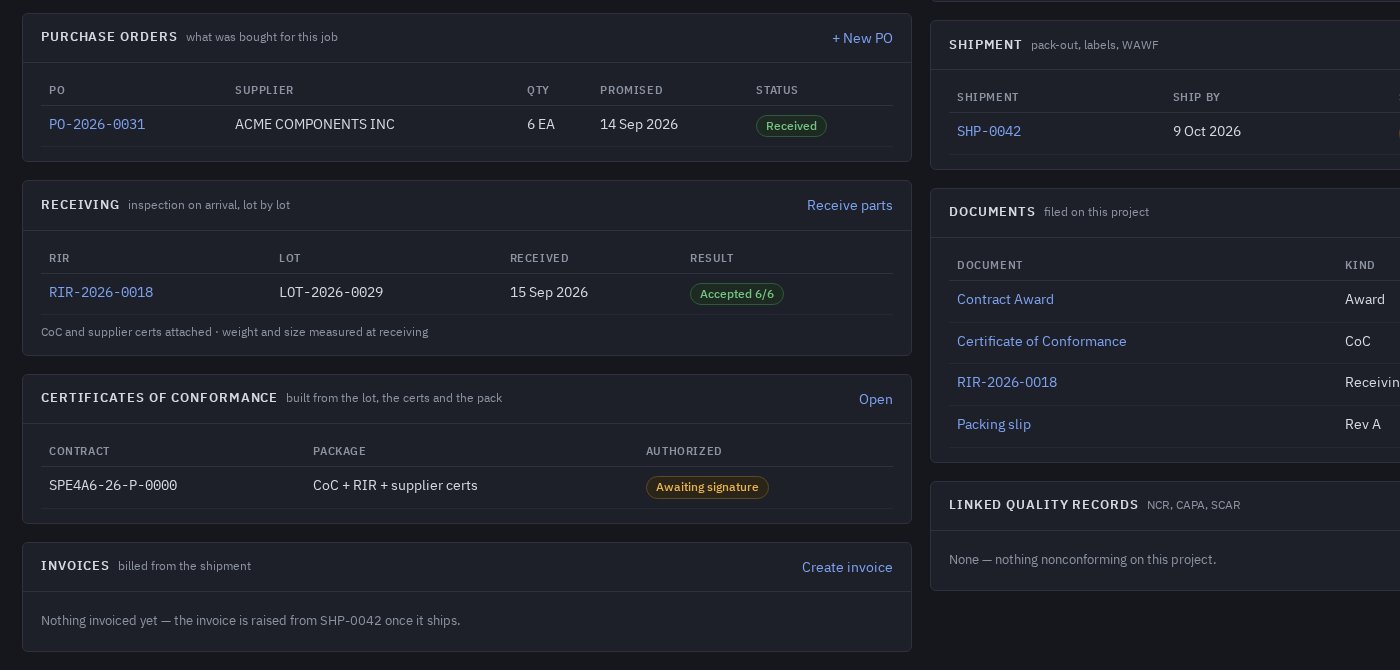
From the supplier's quote to an accepted lot, with the paperwork attached as you go.
- Request quotes from one or several suppliers by e-mail, straight from the BOM line.
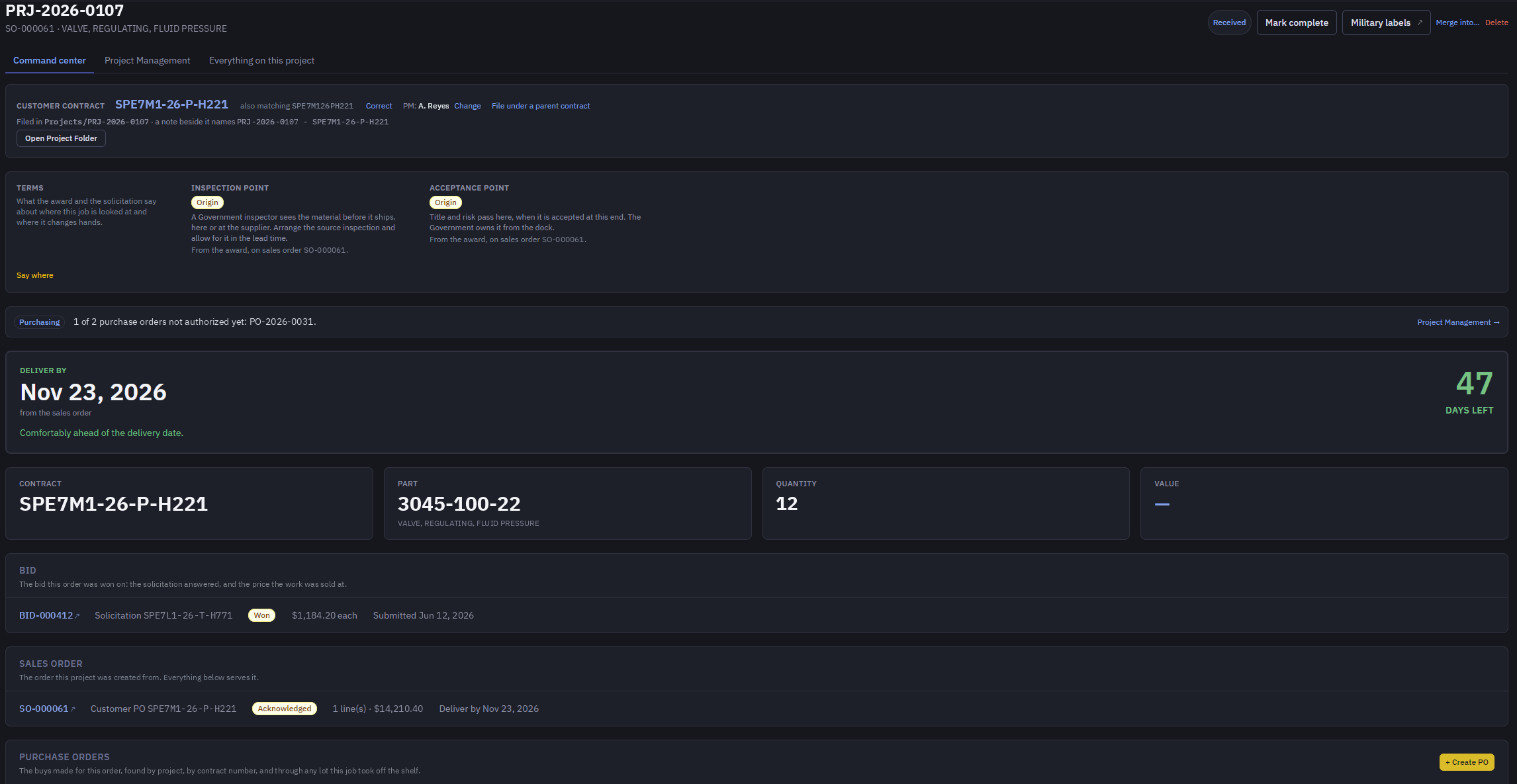
- Raise purchase orders against the job, and see each one on the project page.
- Receiving inspection is recorded lot by lot: quantity accepted, the supplier's certificates, the CoC, and the weight and size measured at the bench.
- Each lot keeps its pedigree from the dock to the shipment, and stock is what is left of accepted lots.
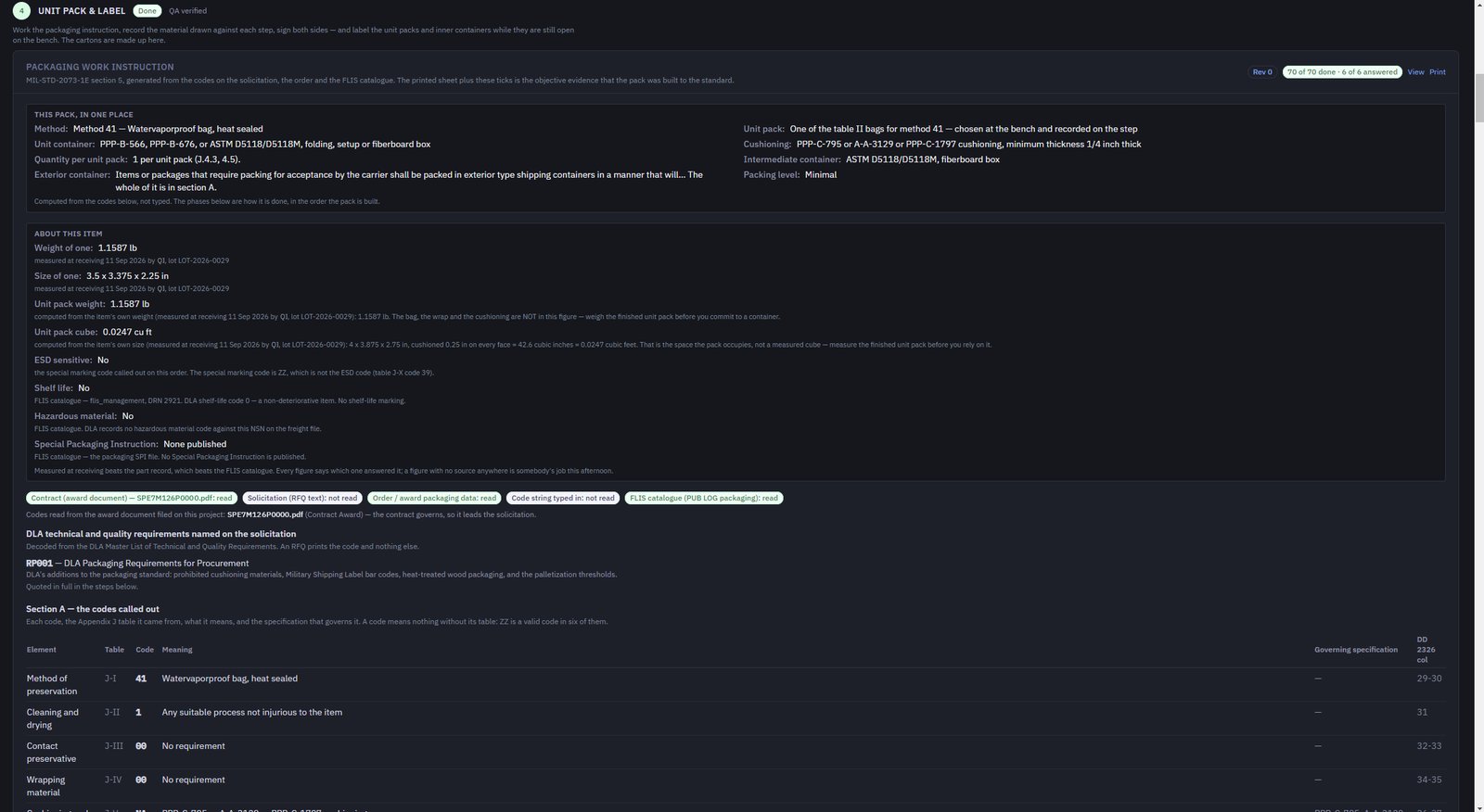
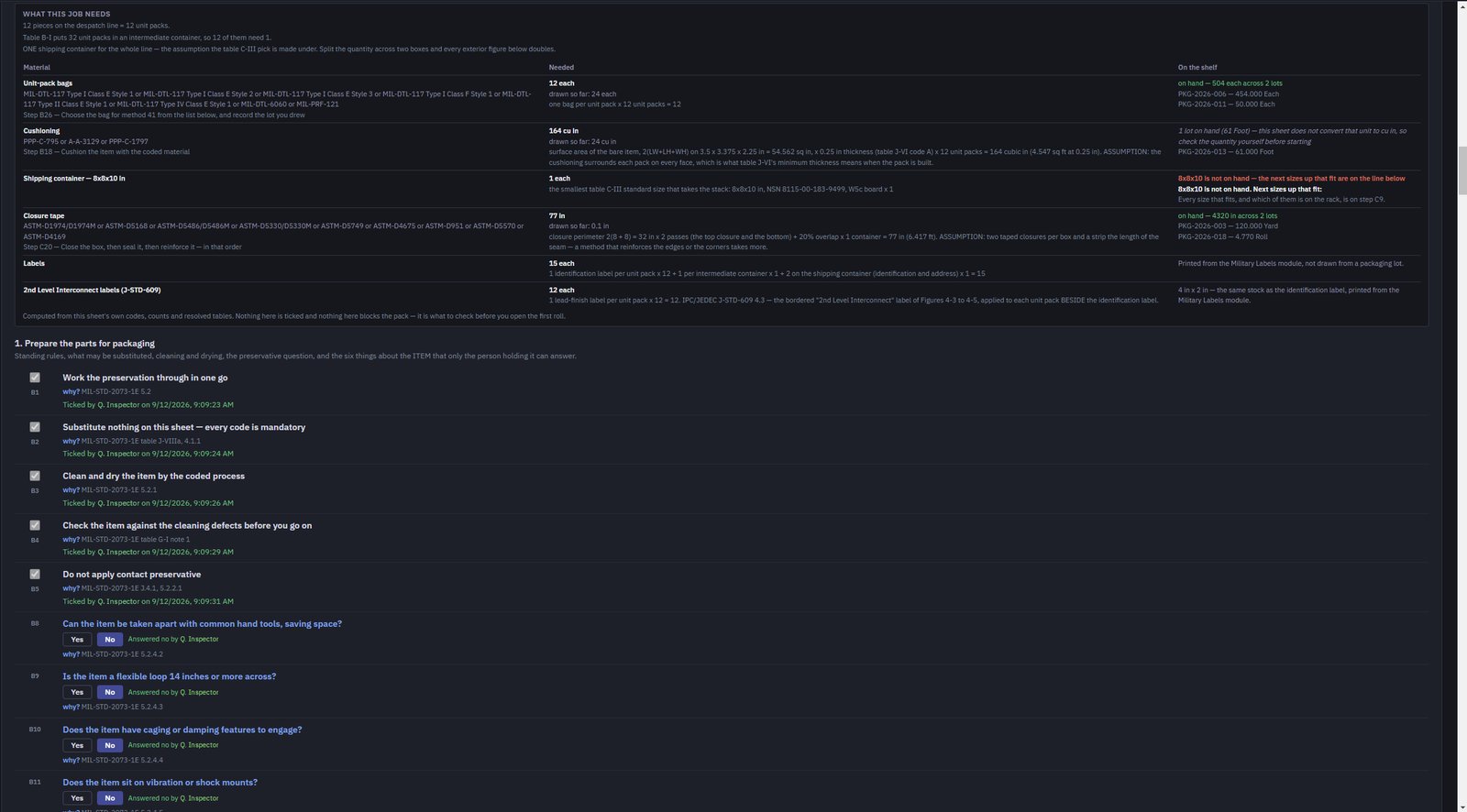
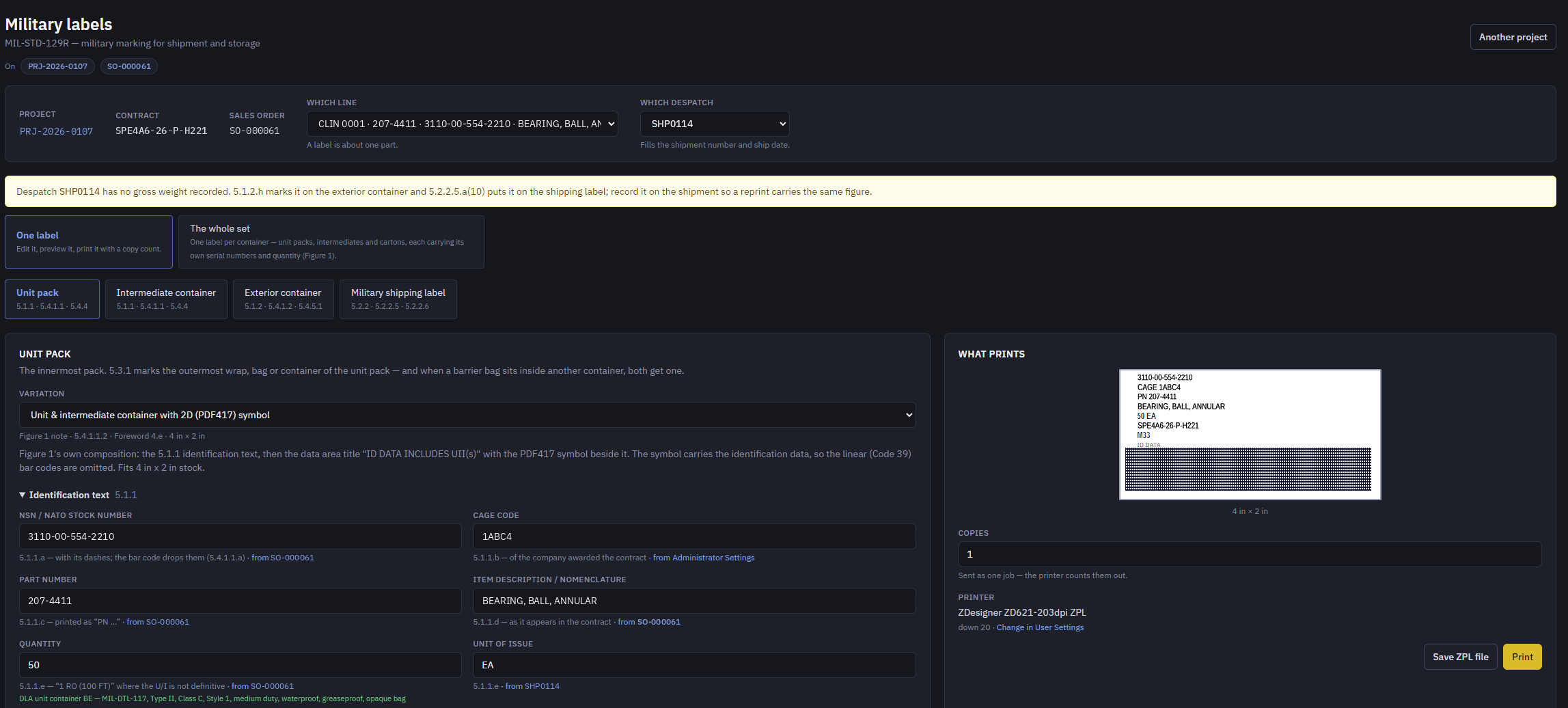
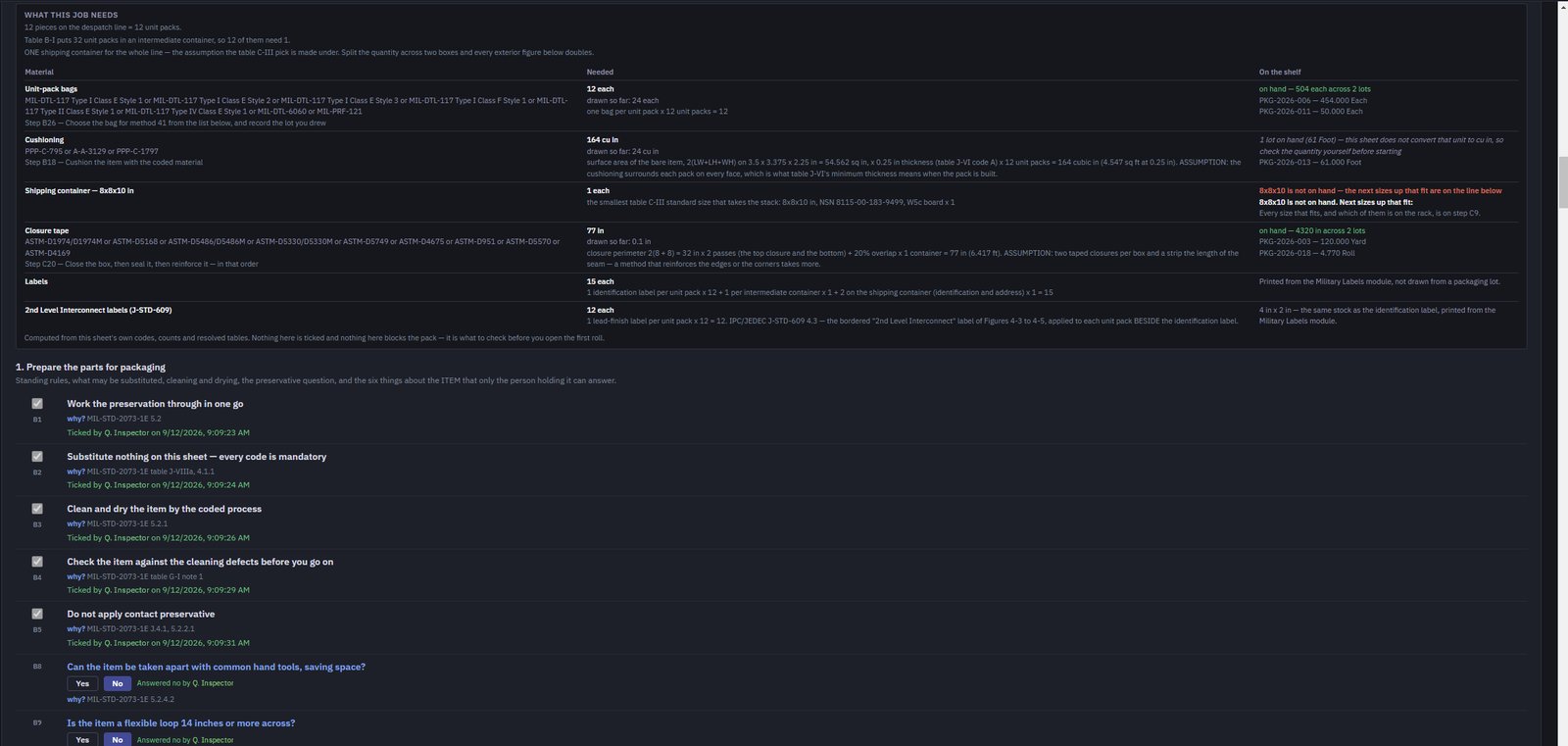
A packaging work instruction written from the codes, not from memory.
- MIL-STD-2073 step by step, generated from the codes on the contract and the item's packaging data from DLA, each step with the clause that asks for it.
- What the job needs is worked out and set against what is on the shelf; supplies are drawn from stock lots as the pack is built.
- Military labels, J-STD-609 lead-finish labels and packing slips print from the same record.
- A WAWF receiving-report entry sheet is filled in from the shipment.
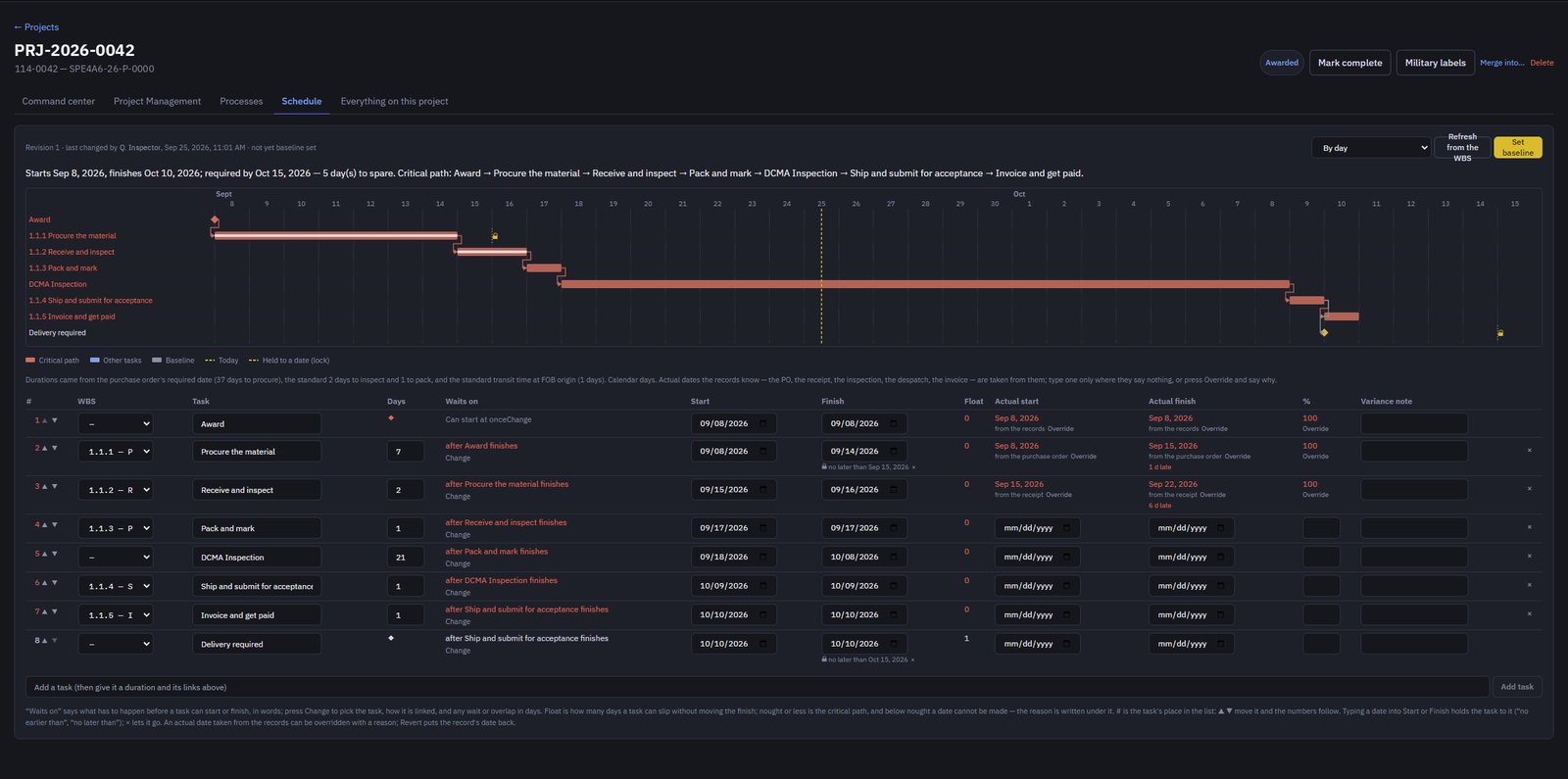
Every award becomes a project, and the records keep it up to date.
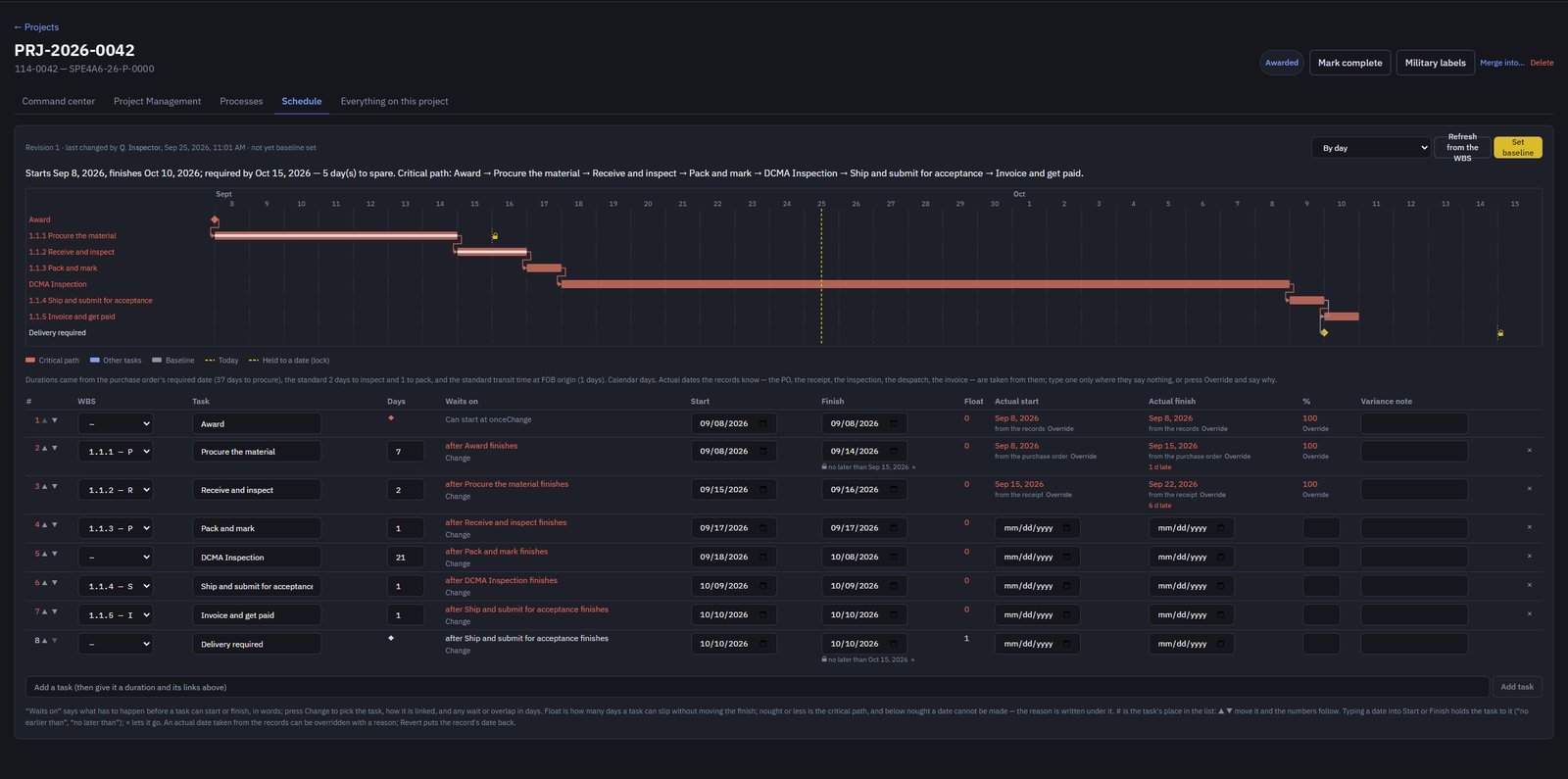
- Milestones are ticked by the records that prove them: the award, the PO, the receipt, the inspection, the pack, the shipment and the invoice.
- A Gantt schedule with the critical path, float, date constraints and actuals, and a warning when the delivery date is at risk.
- PMBOK-based processes and registers, an earned-value budget, and the project management plan and closure report as PDFs.
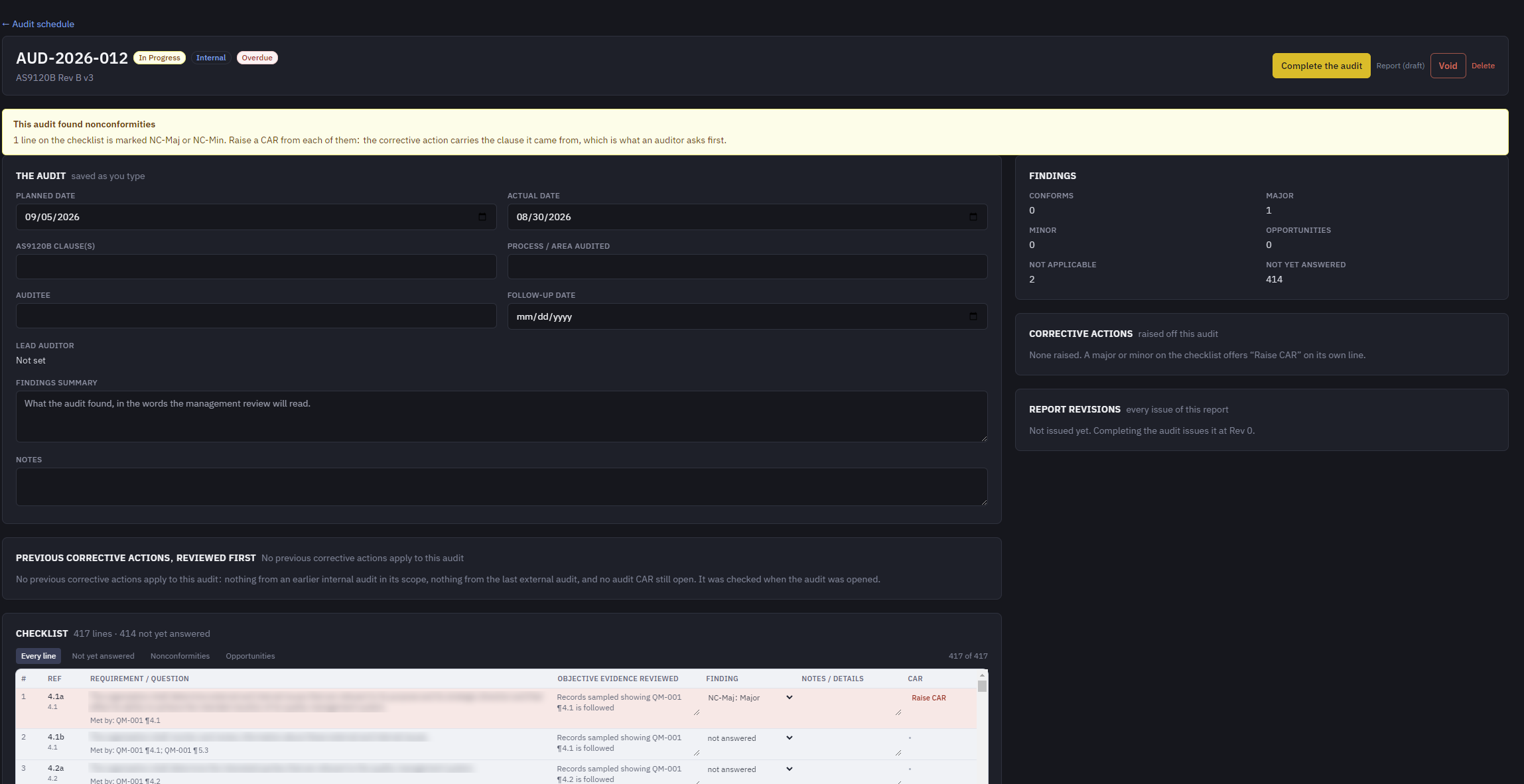
Built around ISO 9001 and AS9120B, with the quality records tied to the work they concern.
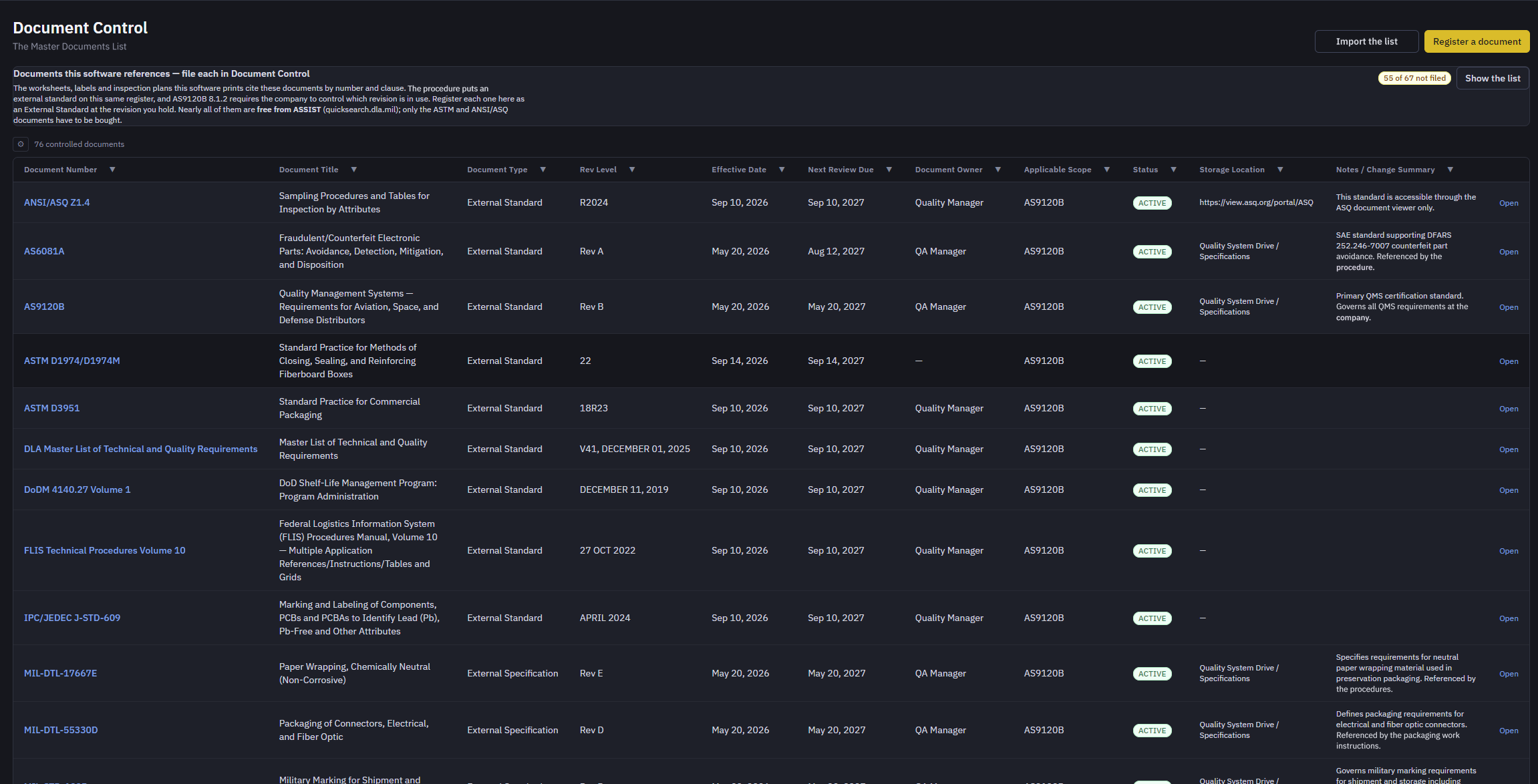
- Nonconformance, corrective and preventive action, supplier corrective action, internal audits, document control and the QMS register.
- Each record can be linked to the bid, BOM, sales order, PO, lot or shipment it is about.
- The seven quality tools work from the records already in the system: Pareto charts, control charts, fishbone diagrams, check sheets, histograms with Cp and Cpk, scatter plots, and process maps issued as controlled drawings.
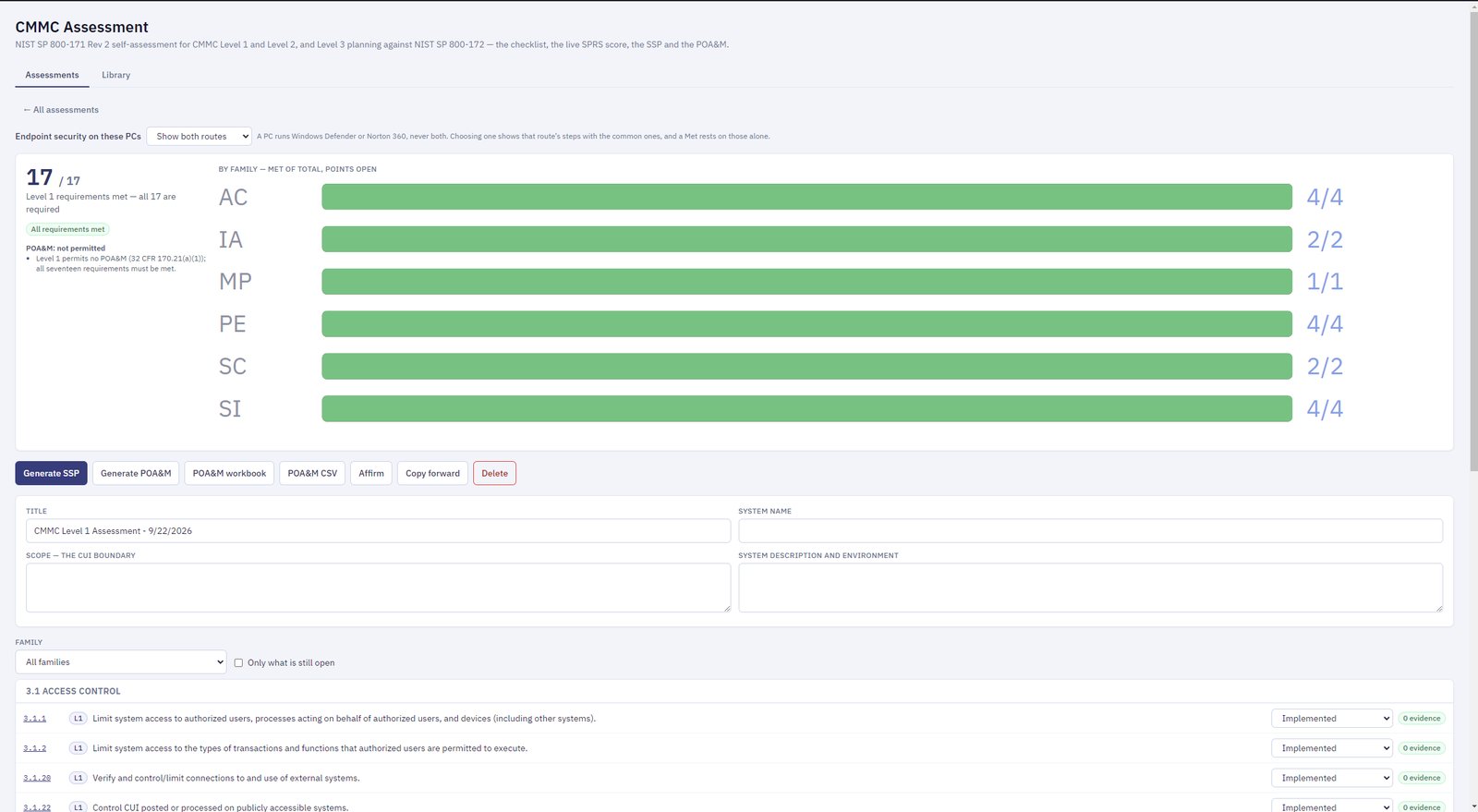
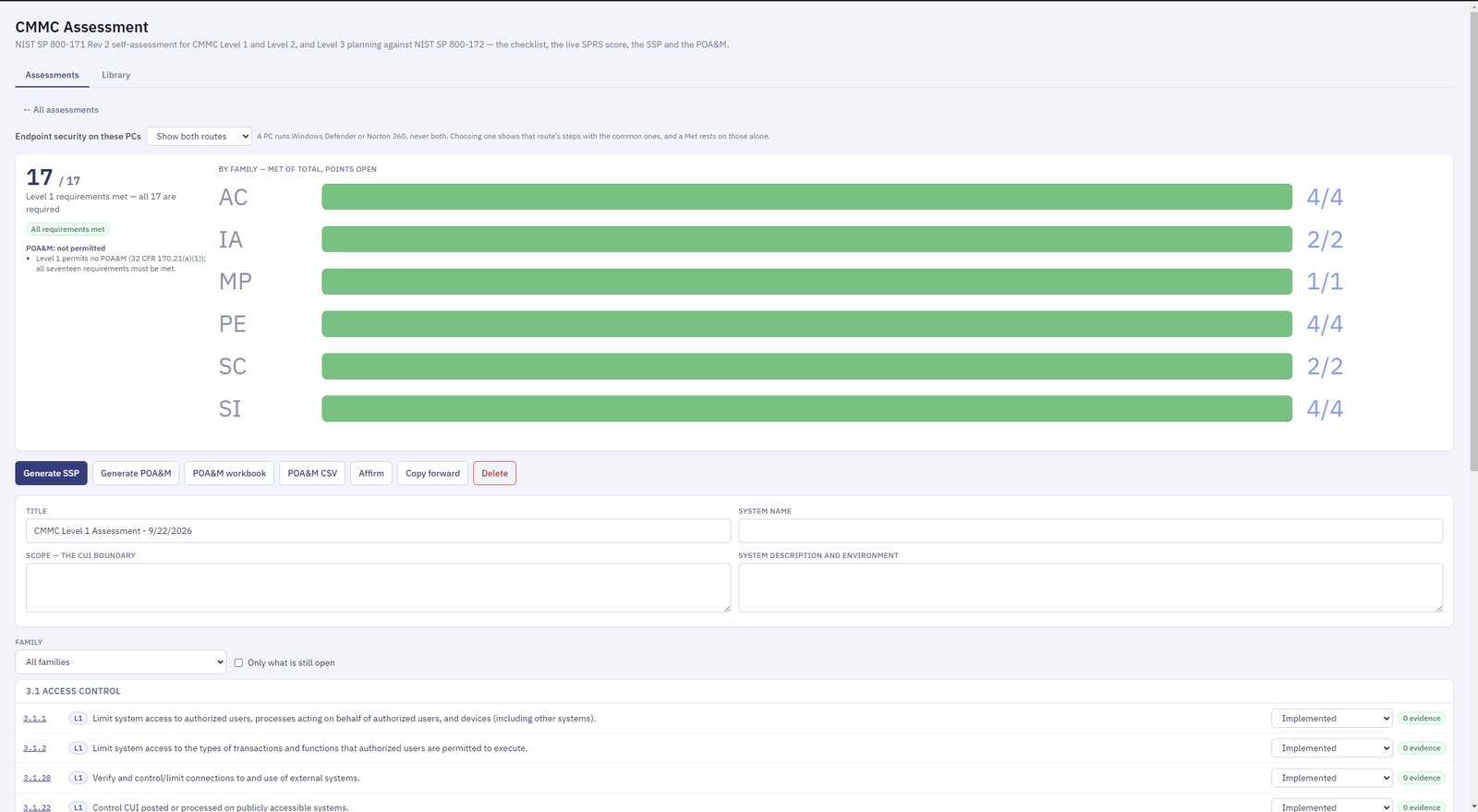
A CMMC self-assessment you can keep current yourself.
- NIST SP 800-171 checklist for CMMC Level 1 and Level 2, with Level 3 planning against NIST SP 800-172.
- A live SPRS score as you answer.
- The System Security Plan and the POA&M are written from your answers.
CUI and CMMC
You choose a Standard installation or a CUI-ready one when you set the software up. Either way it keeps its own second sign-in factor, locks a session left idle, holds people to password rules, and keeps an audit trail of who did what and when.
Documents marked CUI are never e-mailed from a Standard installation. In a CUI-ready installation the CUI records live in their own database on the one computer you choose for them, and those modules are shown only to the people you give CUI access.
The CMMC assessment goes through every requirement step by step: how to do it, how to check it is done, and what to keep as the record. The software helps you prepare for an assessment; it does not certify you.
Runs on your own PC or server. Your data stays with you.
The Operations Suite is a desktop application with its own PostgreSQL database, installed on your machines.
On your network
One PC, or a small server with several PCs connected to it. Your bids, suppliers, customers and quality records are kept in your own database.
Your records, your backups
The database is yours. Backup and restore scripts come with it, so you decide where copies are kept.
DLA's data, brought to you
The DIBBS files and notices are fetched from DLA and stored locally, so searching them does not depend on the DIBBS website being quick.
Ask for a demonstration
Tell us who you are and what you bid on, and we will get back to you to set a time. A demonstration is on your own solicitations, on a call, and takes about forty minutes.
About your details. This form collects your name, company, e-mail address and message, and the phone number and CAGE code if you give them. We use them only to reply to you about a demonstration and a licence. They are kept in our form service's records and in our company mailbox. We do not sell them or share them with anyone. To have them deleted, e-mail mscott@trove360llc.com and we will remove them. The privacy policy has the details.